Photo-booth overlays & animated screens,
designed by AI
One tool for the whole booth: print-ready overlays with see-through photo windows — and looping animated welcome screens for the display. You place your text, logo and windows; the AI designs the rest. No designer, no Photoshop, no After Effects.
Your first overlay is free — no card, no subscription.
See what you can make
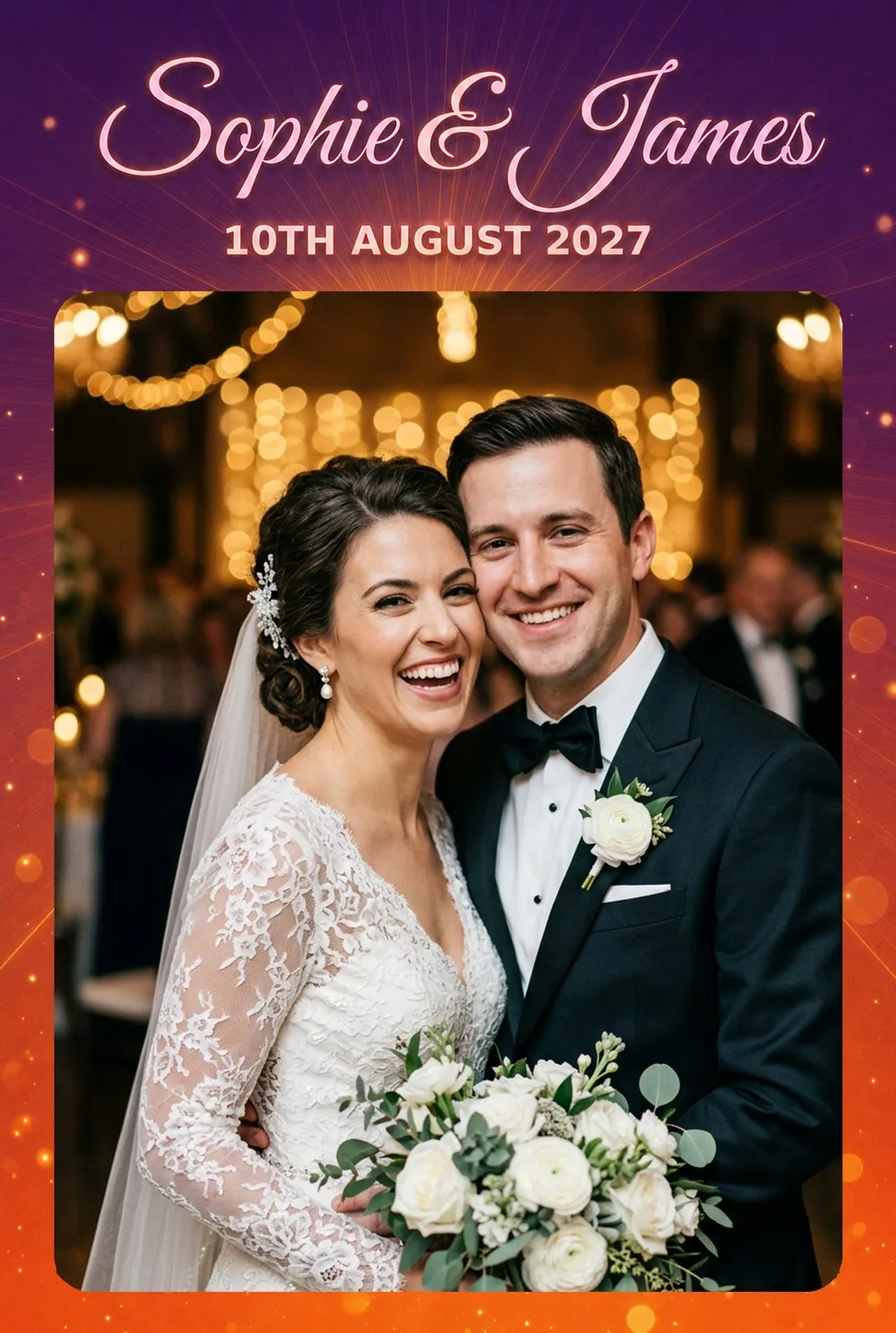
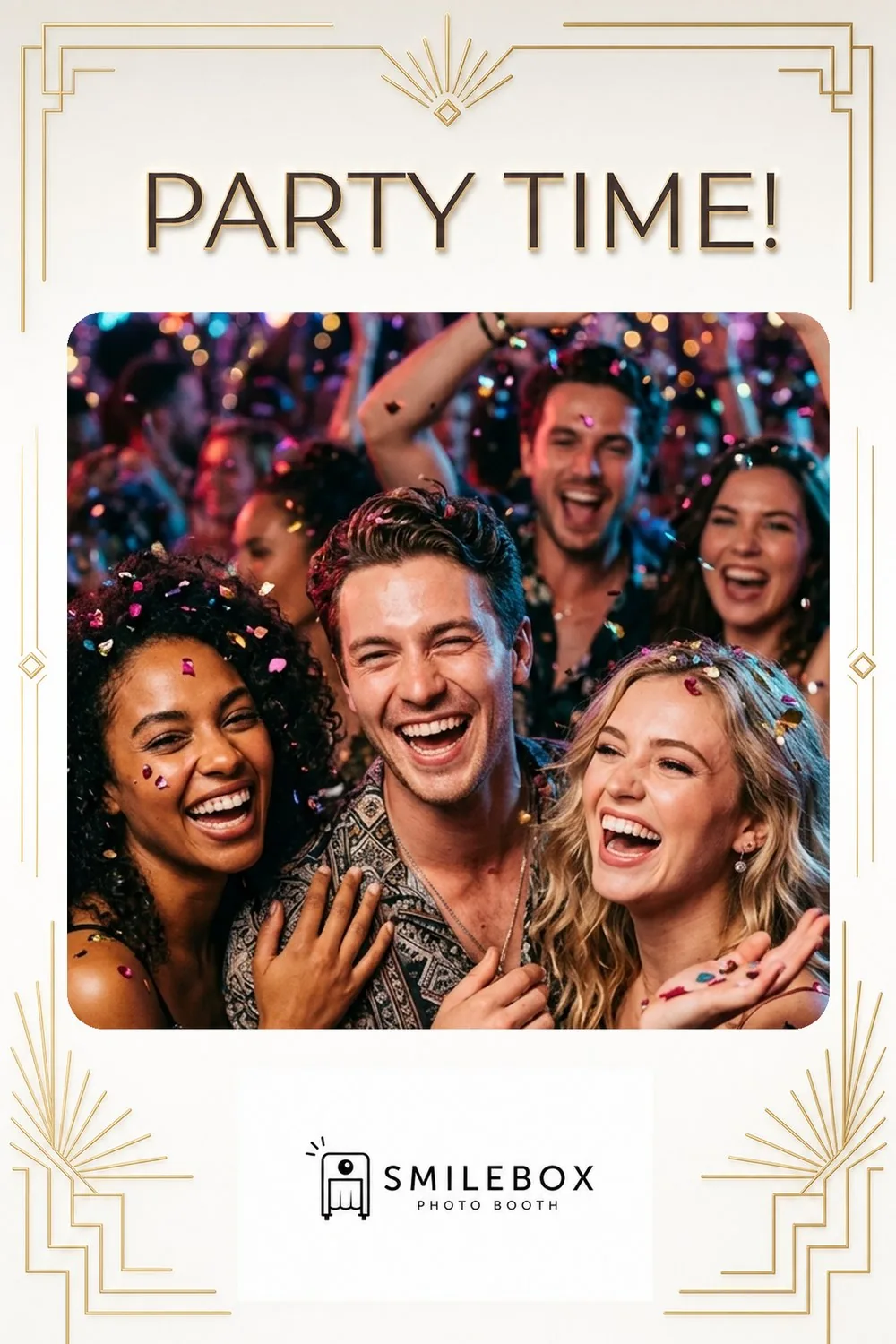
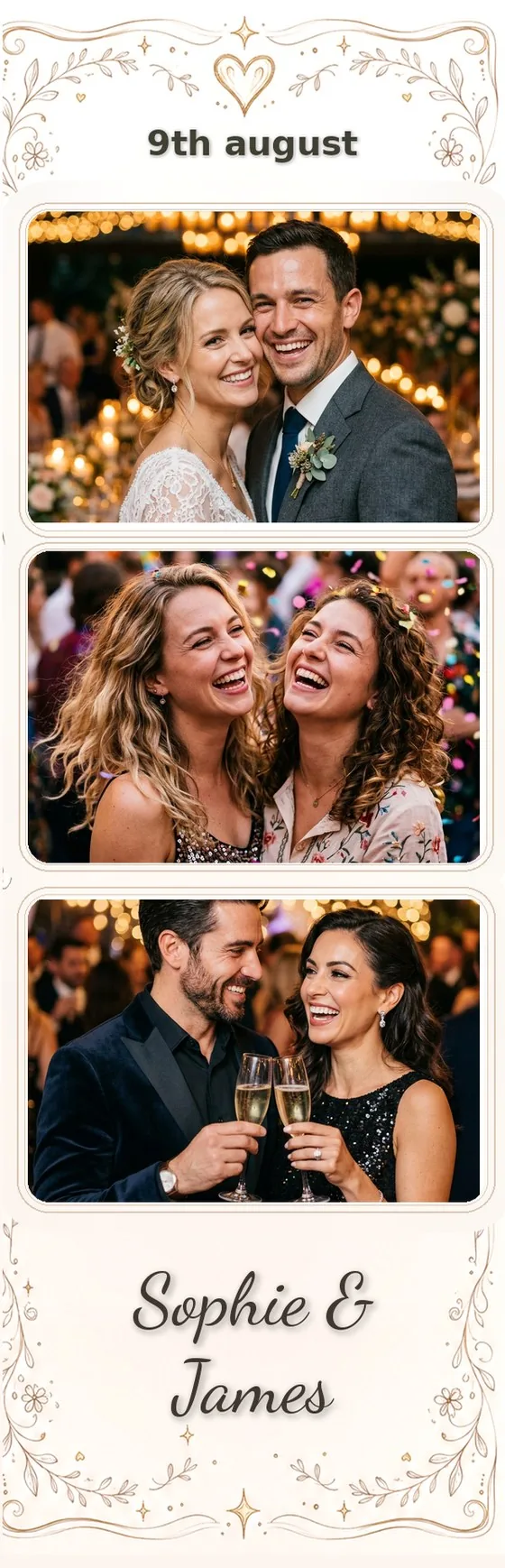
Print overlays with transparent photo windows for 4×6 prints, strips and GIFs — and looping animated screens for the booth's display. All AI-designed from a short brief.
Animated welcome screens, without After Effects
Design a full-screen, on-brand welcome for your booth's idle display — then bring it to life. Tap a preset to animate the background or any element, and export a looping MP4. No motion-graphics software, no timeline, no keyframes. Here's the same Christmas screen — static, then alive.

It all happens in one editor — tap to cut out any element, give it a motion, tune the size, and export the MP4. No timeline, no keyframes.
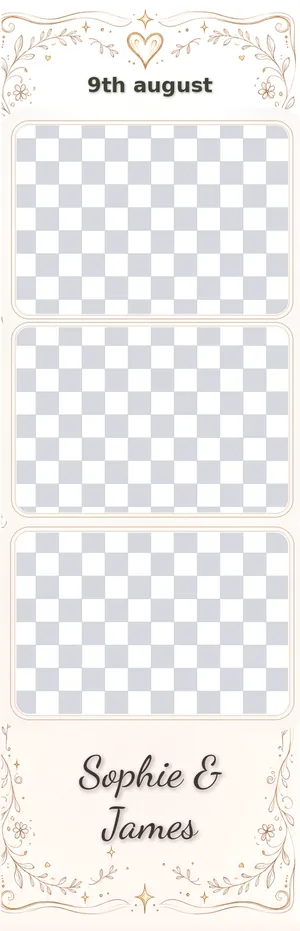
True transparency, every time
Download a transparent PNG. The photo windows are genuinely see-through, so your booth software lays them straight over each capture — single prints, multi-shot strips, boomerangs and GIFs.
- Print-ready transparent PNG, every size
- Strips, 4×6, 2×6 and custom dimensions
- Your text & logo stay pixel-perfect — the AI decorates around them
Built to make an operator's life easier
A design per event, in minutes
Describe the event and the AI designs a print-ready overlay around your photo windows. No designer, no Photoshop, no waiting on a freelancer.
Animation without After Effects
Turn a welcome screen into a looping video with one-tap animation presets — no timeline, no keyframes, no motion-graphics software to learn.
Your text & logo, exact
Your wording and logo stay pixel-perfect — the AI decorates around them, never over them.
Drops into any booth
Transparent PNGs and MP4s in any size — load them straight into Snappic, dslrBooth, Touchpix, Simple Booth and the rest.
Let clients design their own
Embed the designer on your site; renters pick your presets, add their details, and the finished template lands in your library.
Apply to guest photos, free
Lay your overlay over real photos and videos to produce finished, shareable files — right in the app, no extra cost.
From blank canvas to booth-ready in 3 steps
Lay out your booth
Drop in photo windows, text and a logo on the canvas — or import an existing template and we detect them for you.
Add your details & generate
Describe the event and add your text. The AI designs a print-ready overlay in under two minutes.
Export
Download the transparent PNG for your booth app or apply it to guest photos here — or export your screen as a looping MP4 for the display.
Works with your photo-booth app
Standard transparent PNGs — so it fits any booth. Setup guides:
Built for photo-booth companies & developers
Have your own software? Integrate Overlay Designer with a full REST API — or send us your designer's layout JSON and we convert it into an overlay.
- REST API — generate, restyle, apply to guest photos, async jobs & signed webhooks
- Convert your designer's layout JSON (photo cut-outs, text & logo) straight into an overlay
- The same embeddable widget, white-labelled for your operators
Make your next event's overlay now
Sign up and your first overlay is free — no card, no subscription.
FAQ
What is Overlay Designer?
Overlay Designer is an AI tool for photo-booth operators. It makes two things: print-ready overlays — the decorated frames with your text, logo and transparent photo windows that sit on top of guest photos — and animated welcome screens for the booth's idle display. You place your windows and text, describe the style, and the AI designs the rest.
Does it work with my photo-booth software?
Yes. Overlay Designer exports transparent PNGs that work with any photo-booth app — Snappic, Touchpix, dslrBooth, Simple Booth, LumaBooth, Breeze and more. There's also a public API and an embeddable website designer for operators who want it built in.
Can it make animated screens for the booth's display?
Yes. Design a full-screen welcome from an event brief, then bring it to life: cut out any element — a balloon, an ornament, the title — with a tap and give it a one-tap motion preset (float, drift, shimmer, pulse and more), on top of a gentle background drift. Export a seamless looping MP4 for your booth's attract screen. No After Effects, no timeline, no keyframes.
How do I pull an object out of a screen to animate it?
Tap it. The magic wand selects a whole object, the Text tool grabs a whole line of text, and the brush lets you paint any shape — then the AI rebuilds the background behind it so the element sits on its own layer, ready to animate or resize. It works on a phone too.
How much does it cost?
You pay per generation in credits (1 credit = $0.10). A new overlay or an animated screen is 4 credits; smaller edits cost less — restyling or repositioning is 2, a regional change 3, an erase 1, and extracting an element from a screen is 1. Animating a screen, exporting the looping MP4, and applying an overlay to guest photos or video are all free. There's no subscription — buy a pack of credits and use them whenever you have an event.
Can I add my own photos and logo?
Yes. You place the photo windows where guest photos show through, add your event text, and drop in a logo. The AI designs the artwork around them and keeps your text and logo exactly in place.
Can I put the designer on my own website?
Yes. Paste one embed snippet (WordPress, Squarespace, Wix or any HTML site) and the people renting your booth design their own overlay from the preset designs you choose. They restyle, add their event text, colours and logo, then submit — and the finished, print-ready overlay lands in your account, ready to download and load into your booth. It's locked to your domain, capped per day and per client, and every generation uses your credits.
What languages can the website designer be shown in?
The embedded designer can be shown to your clients in 20 languages — English, Spanish, French, German, Italian, Portuguese, Dutch, Polish, Russian, Turkish, Arabic, Swedish, Danish, Norwegian, Czech, Greek, Romanian, Japanese, Korean and Simplified Chinese. You choose the language per designer in your dashboard.
What sizes and formats can it make?
Transparent PNGs at any size — 4×6 and 2×6 prints, classic photo strips, and custom dimensions — for single prints, multi-shot strips, boomerangs and GIFs. The photo windows are genuinely see-through, so your booth software lays the overlay straight over each capture.
Can clients ask for changes to their design?
Yes. When a client submits a design through your website they can leave a note for your team. You see it next to the submission in your library and can open the overlay in the editor to make the change before the event.
Do I need design skills or Photoshop?
No. You place the photo windows and text on the canvas and pick a style; the AI designs the rest. You can also restyle, recolour, swap text, erase or repaint any part afterwards — no designer and no Photoshop required.
Is there an API for developers and photo-booth companies?
Yes — a full REST API (generate, restyle, apply to guest photos, async jobs, webhooks) at https://api.overlaydesigner.com/v1, documented at https://overlaydesigner.com/api-docs.